<?xml version="1.0" encoding="UTF-8"?>
<feed xmlns="http://www.w3.org/2005/Atom">
   <title>vaioux.org</title>
   <link rel="alternate" type="text/html" href="http://vaioux.org/" />
   <link rel="self" type="application/atom+xml" href="http://vaioux.org/atom.xml" />
   <id>tag:vaioux.org,2010://1</id>
   <updated>2010-09-07T16:52:56Z</updated>
   <subtitle>A Site for U.
Hit &quot;vaioux.org&quot; to boot from XP...</subtitle>
   <generator uri="http://www.sixapart.com/movabletype/">Movable Type 3.33-ja</generator>

<entry>
   <title>b-mobile SIM到着</title>
   <link rel="alternate" type="text/html" href="http://vaioux.org/2010/09/bmobile_sim.html" />
   <id>tag:vaioux.org,2010://1.269</id>
   
   <published>2010-09-07T15:24:37Z</published>
   <updated>2010-09-07T16:52:56Z</updated>
   
   <summary>注文から24時間経たずに到着。 しかし5分で終わると書いてある認証処理に40分も...</summary>
   <author>
      <name></name>
      
   </author>
         <category term="500)ケータイ、PHS、WiMAX" scheme="http://www.sixapart.com/ns/types#category" />
   
   
   <content type="html" xml:lang="ja" xml:base="http://vaioux.org/">
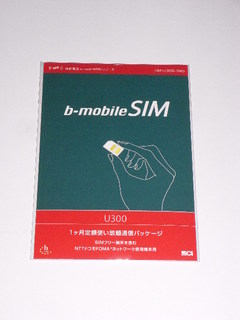
      <![CDATA[注文から24時間経たずに到着。
しかし5分で終わると書いてある認証処理に40分も待たされた（汗
なんでやねん！

<a href="http://vaioux.org/image/bmobSIM1.jpg"><img alt="bmobSIM1.jpg" src="http://vaioux.org/image/bmobSIM1-thumb.jpg" width="240" height="320" /></a>

ご存じのようにFOMAカードなのでN-06Aでも認識しましたが、アクセスポイントモードは機能しないそうです。

<a href="http://vaioux.org/image/bmobSIM2.jpg"><img alt="bmobSIM2.jpg" src="http://vaioux.org/image/bmobSIM2-thumb.jpg" width="320" height="240" /></a>

まぁ管理人的にはシグ3＋SocketCFからBluetooth DUNでの利用に最適なSIMという感じでしょうか…。]]>
      
   </content>
</entry>
<entry>
   <title>がびーん！ WiMAXを諦める！</title>
   <link rel="alternate" type="text/html" href="http://vaioux.org/2010/09/post_54.html" />
   <id>tag:vaioux.org,2010://1.268</id>
   
   <published>2010-09-02T16:06:23Z</published>
   <updated>2010-09-03T14:02:26Z</updated>
   
   <summary>@nifty WiMAXの10,000円キャッシュバックキャンペーンが延長されず...</summary>
   <author>
      <name></name>
      
   </author>
         <category term="500)ケータイ、PHS、WiMAX" scheme="http://www.sixapart.com/ns/types#category" />
   
   
   <content type="html" xml:lang="ja" xml:base="http://vaioux.org/">
      <![CDATA[<a href="http://setsuzoku.nifty.com/wimax/">@nifty WiMAX</a>の<a href="http://setsuzoku.nifty.com/wimax/news/cam_1007.htm">10,000円キャッシュバックキャンペーン</a>が延長されず、8月末で終わってしまった orz

新規加入者にキャッシュバックするより、広告を沢山打つ戦略にでも切り替えたんかな？（汗

とっとと加入しとけば良かったんだけど、8月は新回線の必要性が全くなかったというか、PocketWiFiすら気軽に貸し出してしまうくらいにモバらないモバれない生活を送っておりまして…。下半期に向けて回線を増やす方針を8月下旬に決めたものの、月途中からの加入は当月無料特典の恩恵が薄くなってしまうので9月に入ったところで@niftyさんのWiMAXに加入しようと思ってたんですが。

キャンペーンが終わってしまったのは仕方ないので、bモバイルさんが9月1日に発表したばかりの<a href="http://www.bmobile.ne.jp/wifi/campaign.html">月額2,755円で18ヶ月間使えるキャンペーン</a>に傾き中。
これはこれで料金的には断然お得。量販店でも買えるので10%ポイントバックならば月額換算で2,480円になるハズ。18ヶ月の間にこれを凌駕するサービスが出てくるかもしれないけど（汗

とりあえずb-mobileSIM U300の30日版（この日数のSIMは量販店では売ってないらしい）を<a href="http://www.bmobile.ne.jp/sim/note.html">bマーケット</a>で買ってみて速度で不満を感じるか試してみることにします。]]>
      
   </content>
</entry>
<entry>
   <title>iPadでリモートデスクトップ</title>
   <link rel="alternate" type="text/html" href="http://vaioux.org/2010/05/ipad.html" />
   <id>tag:vaioux.org,2010://1.267</id>
   
   <published>2010-05-29T15:52:27Z</published>
   <updated>2010-06-26T17:24:21Z</updated>
   
   <summary>※6/3追記 iPad使いでもないのに検索で上位に来てしまうのでWindows ...</summary>
   <author>
      <name></name>
      
   </author>
         <category term="200)PC関連ネタ" scheme="http://www.sixapart.com/ns/types#category" />
   
   
   <content type="html" xml:lang="ja" xml:base="http://vaioux.org/">
      <![CDATA[※6/3追記
iPad使いでもないのに検索で上位に来てしまうのでWindows Phone FANさんのブログへ誘導リンクを張らせて頂きます。ゴメンナサイ。
<a href="http://blog.goo.ne.jp/cestaff/e/ea03a175f30865860cd6e4e6ae74426b">iPad でリモートデスクトップ「Remote Desktop Lite (RDP Lite)」</a>

<hr>

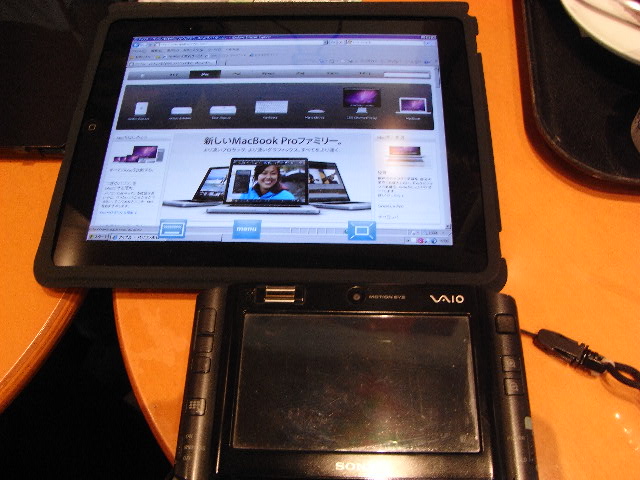
iPad購入者さまに端末を触らせて頂きました。ありがとうございました。

<a href="http://vaioux.org/image/iPadVsUX.jpg"><img alt="iPadVsUX.jpg" src="http://vaioux.org/image/iPadVsUX-thumb.jpg" width="320" height="240" /></a>

解像度の高さと視認性の良さから<a href="http://tsushima.2ch.net/test/read.cgi/news/1246535270/">キヨブタ</a>的にスペック買いしてしまおうとしてたんですが、銀座店に徹夜で並ぶアーリーアダプターな友人がいたので実機をタッチアンドトライさせてもらってからでも遅くないかと思って…。

結論から言うとやはり「買い」ですな。一応、フルスクでRDP接続できますし。
リモートデスクトップと言えば私、私と言えばリモートデスクトップな管理人としてはビッグウェーブに乗るべきかなと。

とはいえネットワーク系のトラブル等で自宅にアクセスできないリスクを考えるとスタンドアローンでWinアプリを動かせるVAIO UXは引き続き持ち歩きたいワケで…。荷が増えてしまうという大問題が待ち受けてるんですがっ（汗]]>
      <![CDATA[<a href="http://vaioux.org/image/iPad-RDP.jpg"><img alt="iPad-RDP.jpg" src="http://vaioux.org/image/iPad-RDP-thumb.jpg" width="320" height="240" /></a>

Bluetooth HIDのペアリングを試したところキーボードはOK、マウスはNGでした。そもそもマウスカーソルという概念がないのでマウスをUIとして組み込めないというハードルがあるわけですが、RDPでWinを使う場合はマウスも使いたいですねぇ（汗

マウスに関してはドットバイドットを諦め、画面をノーパソのタッチパッドのように使ってマウスカーソル移動、左右クリック、コーナータップ、スクロール出来るようなRDPクライアントが出現してくれると期待していますが、Win系特有のキーコードはBluetoothキーボードからは送信できない可能性があるので、HIDを多用するときはLui RP、マルチメディアを転がしたいときはiPadでリモートデスクトップという使い分けが落とし所になるんじゃないかと。

マウスが使えるなら自宅デスクにiPadを水平に置いて使いたいですね。姿勢としては雑誌をテーブルに拡げて読むようなスタイルで（1台で1ページ分と考えると2台並べるべきか…）。キーボードはiPadの手前に配置するか左右セパレートとかにして。]]>
   </content>
</entry>
<entry>
   <title>LuiケータイN-08Bを内覧会でチェックしてきました</title>
   <link rel="alternate" type="text/html" href="http://vaioux.org/2010/05/luin08b.html" />
   <id>tag:vaioux.org,2010://1.266</id>
   
   <published>2010-05-22T11:59:18Z</published>
   <updated>2010-05-22T16:20:13Z</updated>
   
   <summary>展示ブースではリモートスクリーンが使えることは注目されていないようで…。 私の周...</summary>
   <author>
      <name></name>
      
   </author>
         <category term="050)Lui" scheme="http://www.sixapart.com/ns/types#category" />
   
   
   <content type="html" xml:lang="ja" xml:base="http://vaioux.org/">
      <![CDATA[展示ブースではリモートスクリーンが使えることは注目されていないようで…。
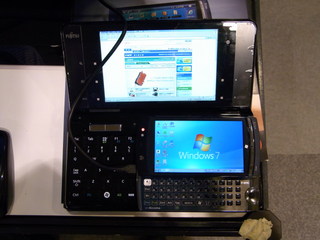
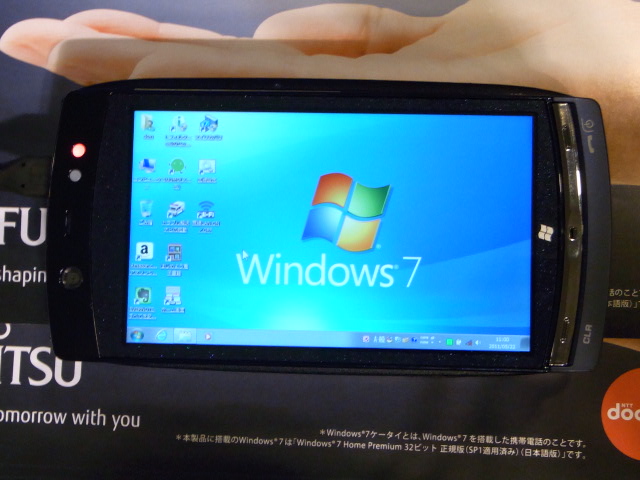
私の周りのお客さん達は歴代Nとの比較をしたり、いわゆるガラパゴスケータイなのにフルキーボード端末であることを喜んでいらっしゃるご様子。

<a href="http://vaioux.org/image/LuiSig1.jpg"><img alt="LuiSig1.jpg" src="http://vaioux.org/image/LuiSig1-thumb.jpg" width="320" height="240" /></a>]]>
      <![CDATA[<a href="http://vaioux.org/image/LuiSig2.jpg"><img alt="LuiSig2.jpg" src="http://vaioux.org/image/LuiSig2-thumb.jpg" width="320" height="240" /></a>

慣れの問題かもだけどキーボードはシグのほうが打ちやすい気がします。
あとポインターの手前側面にあるクリックボタンは押しにくいです。

展示ブースの説明員さん曰く既存のLuiとの相互接続は出来ないとのこと。
じゃぁ何で同じLuiっていう名前にするんだろう？ みたいな…。

ブースに置いたサーバー側PCを使ってリモートスクリーンの実演もしていただけました。
サーバー側PCの表示解像度を下げてリモーターにそのまま送る仕様っぽいですね。
つまりサーバー側PCでも遠隔操作中の画面が丸見えなんじゃないかと（ｗ
表示はドットバイドットと縮小全画面が選べるようです。

ブース内でリモート操作した限りはモッサリ感は感じなかったけど、トレースルートを長くした場合にどうなるかは？？？

相互接続性が確保されてないならよほどの値下げでも無い限り買えないですけどね。]]>
   </content>
</entry>
<entry>
   <title>Luiへ舵を取るNECと俺</title>
   <link rel="alternate" type="text/html" href="http://vaioux.org/2010/05/luinec.html" />
   <id>tag:vaioux.org,2010://1.265</id>
   
   <published>2010-05-19T08:31:20Z</published>
   <updated>2010-05-22T11:43:38Z</updated>
   
   <summary>と言いたいところだがN-08Bにタッチパネルを載せなかったのは痛いゼ（汗 これで...</summary>
   <author>
      <name></name>
      
   </author>
         <category term="050)Lui" scheme="http://www.sixapart.com/ns/types#category" />
   
   
   <content type="html" xml:lang="ja" xml:base="http://vaioux.org/">
      と言いたいところだがN-08Bにタッチパネルを載せなかったのは痛いゼ（汗
これで予想価格帯は6万8千円とな…

およその仕様はこんな感じか？
　・サーバー側はNEC製PCでなくても良い。要Win7。
　・メールかDDNSサービスを使ってサーバーに接続する。
　・WOLはルーターの機能を使う。

これで画面の転送が既存のLuiよりも遅かったら最悪だけどどうなんだろう？
既存のLuiとの相互接続が可能なのかが知りたいッス。
      
   </content>
</entry>
<entry>
   <title>SNV125-S2/30GB</title>
   <link rel="alternate" type="text/html" href="http://vaioux.org/2010/05/snv125s230gb.html" />
   <id>tag:vaioux.org,2010://1.264</id>
   
   <published>2010-05-10T16:48:20Z</published>
   <updated>2010-05-10T17:36:35Z</updated>
   
   <summary>届いたぁ 早速プラスドライバーで分解っ！ 中に入ってるのはG90系LOOX Uで...</summary>
   <author>
      <name></name>
      
   </author>
         <category term="100)SSD" scheme="http://www.sixapart.com/ns/types#category" />
         <category term="20)LOOX U/G90N" scheme="http://www.sixapart.com/ns/types#category" />
   
   
   <content type="html" xml:lang="ja" xml:base="http://vaioux.org/">
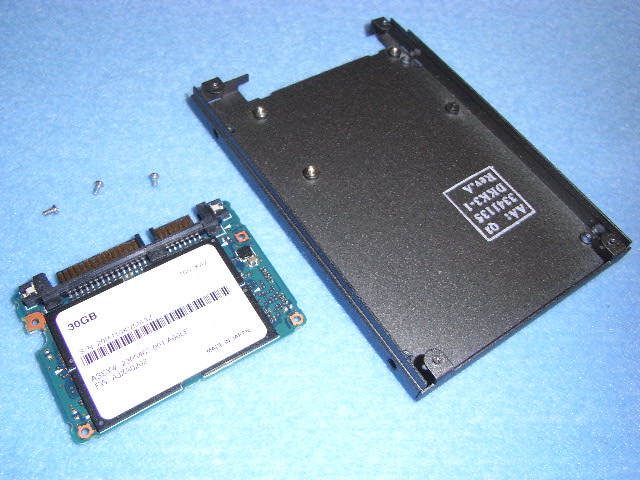
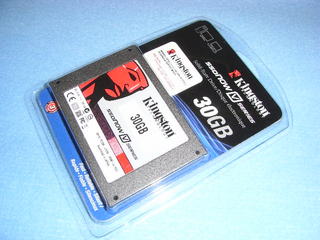
      <![CDATA[<a href="http://vaioux.org/image/SG2-1.jpg"><img alt="SG2-1.jpg" src="http://vaioux.org/image/SG2-1-thumb.jpg" width="320" height="240" /><br>届いたぁ</a>


<a href="http://vaioux.org/image/SG2-2.jpg"><img alt="SG2-2.jpg" src="http://vaioux.org/image/SG2-2-thumb.jpg" width="320" height="240" /><br>早速プラスドライバーで分解っ！
</a>


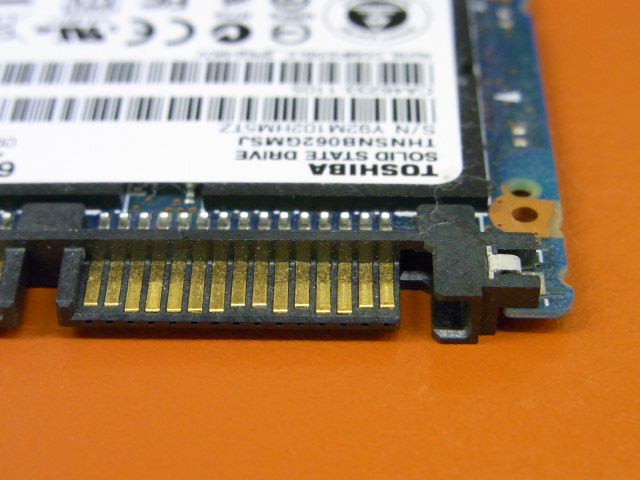
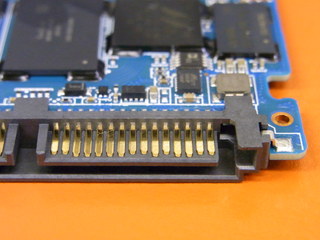
<a href="http://vaioux.org/image/SG2-3.jpg"><img alt="SG2-3.jpg" src="http://vaioux.org/image/SG2-3-thumb.jpg" width="320" height="240" /><br>中に入ってるのはG90系LOOX Uでお馴染みHalf Slimモジュール型の東芝製SATA SSDなのだ。</a>]]>
      
   </content>
</entry>
<entry>
   <title>Luiサーバー機能ソフトウェア化の対象PC</title>
   <link rel="alternate" type="text/html" href="http://vaioux.org/2010/04/luipc.html" />
   <id>tag:vaioux.org,2010://1.262</id>
   
   <published>2010-04-21T17:31:15Z</published>
   <updated>2010-05-22T11:43:02Z</updated>
   
   <summary>CNET Japanさんの記述。 http://japan.cnet.com/n...</summary>
   <author>
      <name></name>
      
   </author>
         <category term="050)Lui" scheme="http://www.sixapart.com/ns/types#category" />
   
   
   <content type="html" xml:lang="ja" xml:base="http://vaioux.org/">
      CNET Japanさんの記述。

http://japan.cnet.com/news/tech/story/0,2000056025,20412322,00.htm
　＞これまで専用のLuiモデルでしか実現しなかったサーバ機能を
　＞既存のPCに持たせることができる。
　＞対象となるのはWindows 7をプリインストールした
　＞NEC製のPC（一部モデルをのぞく2009年10月以降のPC）。

しかし、よくよく考えてみるとLuiのサーバー機能をソフトウェア化した場合、外出先からアクセスするタイミングでサーバー側PCの電源を入れるのが難しくなるワケで…。どう処理するつもりなんだろう？
      
   </content>
</entry>
<entry>
   <title>NEC直販でLuiの放出があったので…</title>
   <link rel="alternate" type="text/html" href="http://vaioux.org/2010/04/lui.html" />
   <id>tag:vaioux.org,2010://1.261</id>
   
   <published>2010-04-19T17:29:09Z</published>
   <updated>2010-05-22T11:41:35Z</updated>
   
   <summary>http://www.necdirect.jp/psp/PA121/DIRECT...</summary>
   <author>
      <name></name>
      
   </author>
         <category term="050)Lui" scheme="http://www.sixapart.com/ns/types#category" />
   
   
   <content type="html" xml:lang="ja" xml:base="http://vaioux.org/">
      <![CDATA[<a href="http://www.necdirect.jp/psp/PA121/DIRECT1K/ENTPND/h/?tab=N1K_Z_COM_OUTLET_01&catalogid=N1K_Z_COM_OUTLET_01#rn7002c">http://www.necdirect.jp/psp/PA121/DIRECT1K/ENTPND/h/?tab=N1K_Z_COM_OUTLET_01&catalogid=N1K_Z_COM_OUTLET_01#rn7002c</a>
思わずポチってしまったが、今は反省しています。

そしてインプレスさんに下記の記載が…

http://pc.watch.impress.co.jp/docs/news/20100419_362259.html
　＞Luiのサーバー機能がソフトウェア化され、7月頃に提供予定と発表された。
　＞従来必要だった専用ボードが不要となり、
　＞NECのデスクトップPCおよびA4ノートPCがサーバーとして利用可能になるという。 

A4ノートPCをサーバーにしてLui RPと組み合わせた場合にパフォーマンスが落ちないなら省電力・低発熱の面で有利になりそう。でも、どの価格帯のA4ノートPCがサーバー化できるのかが現段階では分からないので動きが取りにくいなぁ（汗]]>
      
   </content>
</entry>
<entry>
   <title>モビルスーツを購入</title>
   <link rel="alternate" type="text/html" href="http://vaioux.org/2010/03/post_46.html" />
   <id>tag:vaioux.org,2010://1.260</id>
   
   <published>2010-03-30T18:05:09Z</published>
   <updated>2010-03-30T18:07:20Z</updated>
   
   <summary>管理人好みのデザインだったのでポチりました。 http://store.nift...</summary>
   <author>
      <name></name>
      
   </author>
         <category term="20)LOOX U/G90N" scheme="http://www.sixapart.com/ns/types#category" />
   
   
   <content type="html" xml:lang="ja" xml:base="http://vaioux.org/">
      管理人好みのデザインだったのでポチりました。

http://store.nifty.com/CustomPage.aspx?id=1200
      
   </content>
</entry>
<entry>
   <title>プリペイドPHS通信カード投げ売り中</title>
   <link rel="alternate" type="text/html" href="http://vaioux.org/2010/03/phs.html" />
   <id>tag:vaioux.org,2010://1.259</id>
   
   <published>2010-03-09T03:26:05Z</published>
   <updated>2010-03-09T03:28:55Z</updated>
   
   <summary>一年間使い放題￥10,500-ナリ。 http://www.sourcenext...</summary>
   <author>
      <name></name>
      
   </author>
         <category term="500)ケータイ、PHS、WiMAX" scheme="http://www.sixapart.com/ns/types#category" />
   
   
   <content type="html" xml:lang="ja" xml:base="http://vaioux.org/">
      一年間使い放題￥10,500-ナリ。

http://www.sourcenext.com/cp/h/1003/05_kw-s102c.html
      
   </content>
</entry>
<entry>
   <title>LOOX U G90N の XP化 -自分用めも的なページ-</title>
   <link rel="alternate" type="text/html" href="http://vaioux.org/2010/02/loox_u_g90n_xp.html" />
   <id>tag:vaioux.org,2010://1.258</id>
   
   <published>2010-02-14T19:25:52Z</published>
   <updated>2010-09-02T15:06:45Z</updated>
   
   <summary>今のところ暫定版なので今後も加筆修正予定。 BIOS設定でタブレットモードとして...</summary>
   <author>
      <name></name>
      
   </author>
         <category term="20)LOOX U/G90N" scheme="http://www.sixapart.com/ns/types#category" />
   
   
   <content type="html" xml:lang="ja" xml:base="http://vaioux.org/">
      <![CDATA[今のところ暫定版なので今後も加筆修正予定。

BIOS設定でタブレットモードとして使用できる下記2条件でインスコ比較した結果、(2)の XP Tablet PC Edition を使用することにする。

　(1) nLite で極限までダイエットした XP Pro SP3 + Tablet PC SDK 1.7 環境
　(2) XP Tablet PC Edition + SP3 環境

下表のドライバー類を入れた上でOS起動後のページファイル使用量を比較したところ、nLiteを使用しても100MB程度しかダイエットできなかったので。

一方、Tablet PC SDK 環境のほうは「Tablet PC 入力パネル」とか「タブレットとペンの設定」とかが見あたらないというデメリットが…。まぁクラムシェル型PCなら無くても困らないんだが。
「タブレットとペンの設定」は tabletpc.cpl を system32 に入れれば使えるかな？？？

そもそも(1)はメモリーに余裕がないPC等で使うために構築テストしている環境なので他のPCに入れる予定。

各ソフトウェアーの効能検証は後回し、まず付属ソフト全般をインストールすることを最優先。
自分でもここを見ながらインスコしてるのでチェックボックスを付けてみたが乱暴なタグ記述なので環境によっては表示が変になるかも。

<table border="1">
<tbody>
  <form>
  <tr align="center" style="background-color : #B0C4DE;">
    <td colspan="2">フォルダー名</td>
    <td>内容</td>
      <td>入手先</td>
   </tr>
  <tr>
  <tr>
    <td><input type="checkbox">01</td>
    <td>Chipset</td>
    <td>チップセットドライバー</td>
      <td>付属DVD</td>
    </tr>
  <tr>
    <td><input type="checkbox">02</td>
    <td>GMA500</td>
    <td><a href="http://downloadcenter.intel.com/Detail_Desc.aspx?agr=Y&DwnldID=18472&lang=jpn" target="_blank">ディスプレイドライバー</a></td>
      <td style="background-color : #0860A8; color : #ffffff;">インテル</td>
    </tr>
  <tr>
      <td><input type="checkbox">03</td>
    <td>Audio</td>
    <td>High Definition Audio Codecs</td>
      <td style="background-color : #0088cc;"><a href="http://www.realtek.com/downloads/" target="_blank">REALTEK</a></td>
  </tr>
    <tr>
      <td><input type="checkbox">04</td>
      <td>Bluetooth</td>
      <td>東芝スタック（<a href="http://www.pc-ap.fujitsu.com/support/drv_lb_wxp_P8110_XP32.html" target="_blank">LifeBook P</a>用）</td>
      <td style="background-color : #ff0000; color : #ffffff;">Fujitsu Asia</td>
    </tr>
    <tr>
      <td><input type="checkbox">05a</td>
      <td>dotnetfx35</td>
      <td><a href="http://www.microsoft.com/downloads/details.aspx?displaylang=ja&FamilyID=d0e5dea7-ac26-4ad7-b68c-fe5076bba986" target="_blank">.NET Framework 3.5 SP1</a></td>
      <td style="background-color : #87CEFA;">マイクロソフト</td>
    </tr>
    <tr>
      <td><input type="checkbox">05b</td>
      <td>dotnetfx35-lp</td>
      <td><a href="http://www.microsoft.com/downloads/details.aspx?FamilyId=8489ED13-B831-4855-96F7-DD35E4C02A20&displaylang=ja" target="_blank">日本語 Language Pack x86</a></td>
      <td style="background-color : #87CEFA;">マイクロソフト</td>
    </tr>
    <tr>
      <td><input type="checkbox">06</td>
      <td>EthernetNIC</td>
      <td><a href="http://www.fmworld.net/cgi-bin/driversearch/drvdownload.cgi?DRIVER_NUM=E1011848" target="_blank">イーサネットNICドライバー</a></td>
      <td style="background-color : #00ff80;"><a href="http://azby.fmworld.net/" target="_blank">
<img src="http://azby.fmworld.net/images/icon/icon_g.gif" alt="FMV活用サイト AzbyClub" border="0" width="90" height="30"></a></td>
    </tr>
    <tr>
      <td><input type="checkbox">07a</td>
      <td>WLAN-D</td>
      <td><a href="http://downloadcenter.intel.com/Detail_Desc.aspx?agr=Y&DwnldID=18744&lang=jpn" target="_blank">無線LANドライバー</a></td>
      <td style="background-color : #0860A8; color : #ffffff;">インテル</td>
    </tr>
    <tr>
      <td><input type="checkbox">07b</td>
      <td>WLAN-U</td>
      <td><a href="http://downloadcenter.intel.com/Detail_Desc.aspx?agr=Y&DwnldID=18749&lang=jpn" target="_blank">無線LANユーティリティー</a></td>
      <td style="background-color : #0860A8; color : #ffffff;">インテル</td>
    </tr>
    <tr>
      <td><input type="checkbox">08</td>
      <td>WiMAX</td>
      <td>WiMAX<a href="http://downloadcenter.intel.com/Detail_Desc.aspx?agr=Y&DwnldID=19023&lang=jpn" target="_blank">（UQ推奨Ver. 1.5.2）</a></td>
      <td style="background-color : #0860A8; color : #ffffff;">インテル</td>
    </tr>
    <tr style="background-color : #999999;">
      <td><input type="checkbox">--</td>
      <td colspan="3" align="center">（必要に応じてIntelliPoint等マウスユーティリティー）</td>
    </tr>
    <tr>
      <td><input type="checkbox">10</td>
      <td>ALPS</td>
      <td>ポインティングデバイス</td>
      <td>付属DVD</td>
    </tr>
    <tr>
      <td><input type="checkbox">11</td>
      <td>TouchPanel</td>
      <td>タッチパネル</td>
      <td>付属DVD</td>
    </tr>
    <tr>
      <td><input type="checkbox">12</td>
      <td>Camera</td>
      <td>カメラ</td>
      <td>付属DVD</td>
    </tr>
    <tr>
      <td><input type="checkbox">15</td>
      <td>DisplayManager</td>
      <td>ディスプレイマネージャー</td>
      <td>付属DVD</td>
    </tr>
    <tr>
      <td style="background-color : #999999;"><input type="checkbox">16D</td>
      <td colspan="3" align="center">デバイスマネージャーで(17)フォルダーのドライバーを当てる</td>
    </tr>
    <tr>
      <td><input type="checkbox">17</td>
      <td>IndicatorUtility</td>
      <td><a href="http://www.fmworld.net/cgi-bin/driversearch/drvdownload.cgi?DRIVER_NUM=E1008968" target="_blank">IndicatorUtility V2.91<br>（LOOX U/B50用）</a></td>
      <td style="background-color : #00ff80;"><a href="http://azby.fmworld.net/" target="_blank">
<img src="http://azby.fmworld.net/images/icon/icon_g.gif" alt="FMV活用サイト AzbyClub" border="0" width="90" height="30"></a></td>
    </tr>
    <tr>
      <td><input type="checkbox">20</td>
      <td>TouchQLPanel</td>
      <td>タッチ操作パネル</td>
      <td>付属DVD</td>
    </tr>
    <tr>
      <td><input type="checkbox">21</td>
      <td>TouchMoji</td>
      <td>タッチ文字入力</td>
      <td>付属DVD</td>
    </tr>
    <tr>
      <td><input type="checkbox">22</td>
      <td>Battery</td>
      <td>バッテリーユーティリティー</td>
      <td>付属DVD</td>
    </tr>
    <tr>
      <td><input type="checkbox">23</td>
      <td>RakuTegaki</td>
      <td>らくらく手書き入力</td>
      <td>付属DVD</td>
    </tr>
    <tr>
      <td><input type="checkbox">24a</td>
      <td>OnetouchTouchPanel</td>
      <td>ワンタッチボタン設定</td>
      <td>付属DVD</td>
    </tr>
    <tr>
      <td><input type="checkbox">24b</td>
      <td>ONETOUCHBTN</td>
      <td><a href="http://www.fmworld.net/cgi-bin/driversearch/drvdownload.cgi?DRIVER_NUM=E1011154" target="_blank">ワンタッチボタン設定<br>アップデートパック</a></td>
      <td><a href="http://azby.fmworld.net/" target="_blank"><img src="http://azby.fmworld.net/images/icon/icon_g.gif" alt="FMV活用サイト AzbyClub" border="0" width="90" height="30"></a></td>
    </tr>
    <tr>
      <td><input type="checkbox">25a</td>
      <td>Psuty</td>
      <td>省電力ユーティリティー</td>
      <td>付属DVD</td>
    </tr>
    <tr>
      <td><input type="checkbox">25b</td>
      <td>PSUUPP</td>
      <td><a href="http://www.fmworld.net/cgi-bin/driversearch/drvdownload.cgi?DRIVER_NUM=E1010997" target="_blank">省電力ユーティリティー<br>アップデートパック</a></a></td>
      <td><a href="http://azby.fmworld.net/" target="_blank"><img src="http://azby.fmworld.net/images/icon/icon_g.gif" alt="FMV活用サイト AzbyClub" border="0" width="90" height="30"></a></td>
    </tr>
    <tr>
      <td><input type="checkbox">26</td>
      <td>Mobility</td>
      <td>モビリティーセンター拡張</td>
      <td>付属DVD</td>
    </tr>
    <tr>
      <td style="background-color : #999999;"><input type="checkbox">27D</td>
      <td colspan="3" align="center">デバイスマネージャーで(28)フォルダーのドライバーを当てる</td>
    </tr>
    <tr>
      <td><input type="checkbox">28</td>
      <td>Fjextuty</td>
      <td>拡張機能ユーティリティー</td>
      <td>付属DVD</td>
    </tr>
    <tr>
      <td><input type="checkbox">29</td>
      <td>E_dictionary</td>
      <td>電子辞書</td>
      <td>付属DVD</td>
    </tr>
    <tr>
      <td><input type="checkbox">30</td>
      <td>rakuzoom</td>
      <td>らくらくズームLite</td>
      <td>付属DVD</td>
    </tr>
    <tr>
      <td><input type="checkbox">32</td>
      <td>dictionary</td>
      <td>辞書検索ライブラリ、コンテンツ</td>
      <td>付属DVD</td>
    </tr>
    <tr>
      <td><input type="checkbox">34</td>
      <td>Flash</td>
      <td>Flash Player</td>
      <td>付属DVD</td>
    </tr>
    <tr>
      <td><input type="checkbox">35</td>
      <td>JavaSE</td>
      <td>JAVA SE Runtime Environment</td>
      <td>付属DVD</td>
    </tr>
  </form>
</tbody>
</table>

AdobeReaderとかは各種アプリと一緒に別途入れるので割愛。]]>
      <![CDATA[以下は今のところ欠番扱い。

<table border="1">
<tbody>
  <tbody>
  <tr align="center" style="background-color : #B0C4DE;">
    <td colspan="2">フォルダー名</td>
    <td>内容</td>
      <td>欠番の理由</td>
    </tr>
  <tr>
  <tr>
   <td><input type="checkbox">13</td>
    <td>DVDDrvComset</td>
    <td>DVDドライブ共有機能設定</td>
    <td>エラーし入るけど入れない</td>
  </tr>
  <tr>
    <td><input type="checkbox">14</td>
    <td>SportNavi</td>
    <td>FMVサポートナビ</td>
    <td align="right">入れない</td>
  </tr>
  <tr>
    <td><input type="checkbox">18</td>
    <td>PlugfreeNW</td>
    <td>Plugfree NETWORK</td>
    <td align="center">入らない</td>
  </tr>
  <tr>
    <td><input type="checkbox">19</td>
    <td>UpdateNavi</td>
    <td>アップデートナビ</td>
    <td align="right">入らないし入れない</td>
  </tr>
  <tr>
    <td><input type="checkbox">31</td>
    <td>Ezbackup</td>
    <td>FMかんたんバックアップ</td>
    <td align="right">入らないし入れない</td>
  </tr>
  <tr>
    <td><input type="checkbox">33</td>
    <td>Roxio</td>
    <td>Roxio Creator</td>
    <td align="right">入れない</td>
  </tr>
</table>]]>
   </content>
</entry>
<entry>
   <title>自分用参考メモ（G90N Win7プレインスコソフト一覧）</title>
   <link rel="alternate" type="text/html" href="http://vaioux.org/2010/02/post_39.html" />
   <id>tag:vaioux.org,2010://1.257</id>
   
   <published>2010-02-13T19:24:10Z</published>
   <updated>2010-02-14T13:05:40Z</updated>
   
   <summary></summary>
   <author>
      <name></name>
      
   </author>
         <category term="20)LOOX U/G90N" scheme="http://www.sixapart.com/ns/types#category" />
   
   
   <content type="html" xml:lang="ja" xml:base="http://vaioux.org/">
      <![CDATA[<img alt="d0.png" src="http://vaioux.org/image/d0.png" width="375" height="177" />]]>
      <![CDATA[<img alt="d1.png" src="http://vaioux.org/image/d1.png" width="375" height="222" />
<img alt="d2.png" src="http://vaioux.org/image/d2.png" width="375" height="160" />
<img alt="d3.png" src="http://vaioux.org/image/d3.png" width="375" height="160" />
<img alt="d4.png" src="http://vaioux.org/image/d4.png" width="375" height="263" />]]>
   </content>
</entry>
<entry>
   <title>LOOX U/G90NのXP化まであと一息</title>
   <link rel="alternate" type="text/html" href="http://vaioux.org/2010/02/loox_ug90nxp_1.html" />
   <id>tag:vaioux.org,2010://1.256</id>
   
   <published>2010-02-12T03:30:16Z</published>
   <updated>2010-02-12T03:38:21Z</updated>
   
   <summary>意外に安産だったわ… 東芝スタックでいけました。 あ…、今回はXP Tablet...</summary>
   <author>
      <name></name>
      
   </author>
         <category term="20)LOOX U/G90N" scheme="http://www.sixapart.com/ns/types#category" />
   
   
   <content type="html" xml:lang="ja" xml:base="http://vaioux.org/">
      意外に安産だったわ…
東芝スタックでいけました。

あ…、今回はXP Tablet PC Editionを使う予定です（汗
      
   </content>
</entry>
<entry>
   <title>LOOX U/G90NのXP化まであと少し</title>
   <link rel="alternate" type="text/html" href="http://vaioux.org/2010/02/loox_ug90nxp.html" />
   <id>tag:vaioux.org,2010://1.255</id>
   
   <published>2010-02-09T15:53:58Z</published>
   <updated>2010-02-09T17:05:36Z</updated>
   
   <summary>一応、最大の山場は乗り越えたかと…。 XPモデルのBTスタックって何なんでしょう...</summary>
   <author>
      <name></name>
      
   </author>
         <category term="20)LOOX U/G90N" scheme="http://www.sixapart.com/ns/types#category" />
   
   
   <content type="html" xml:lang="ja" xml:base="http://vaioux.org/">
      <![CDATA[一応、最大の山場は乗り越えたかと…。

<ul><img alt="LOOXUG90.png" src="http://vaioux.org/image/LOOXUG90.png" width="283" height="288" border="1" /></ul>

XPモデルのBTスタックって何なんでしょうね？ 定番の東芝？
海外はWin7モデルのみの展開みたいだしBluetooth周りが難産の予感。]]>
      
   </content>
</entry>
<entry>
   <title>Bluetooth対応のワイヤレス電卓テンキー</title>
   <link rel="alternate" type="text/html" href="http://vaioux.org/2009/12/bluetooth_7.html" />
   <id>tag:vaioux.org,2009://1.253</id>
   
   <published>2009-12-11T10:02:46Z</published>
   <updated>2009-12-11T10:18:02Z</updated>
   
   <summary>NumLock非連動なのでMicrosoft Bluetooth Number ...</summary>
   <author>
      <name></name>
      
   </author>
         <category term="300)Bluetooth" scheme="http://www.sixapart.com/ns/types#category" />
   
   
   <content type="html" xml:lang="ja" xml:base="http://vaioux.org/">
      <![CDATA[NumLock非連動なのでMicrosoft Bluetooth Number Padより良さげ。
<a href="http://www.sanwa.co.jp/product/syohin.asp?code=NT-BT01BK">http://www.sanwa.co.jp/product/syohin.asp?code=NT-BT01BK</a>

んー、電卓要らないからもう少し安く作ってもらえませんか？（ｗ]]>
      
   </content>
</entry>

</feed>